

Introduction
Imagine spending hours every week updating spreadsheets, sending invoice reminders, following up on emails and only to realize you’re losing valuable time that could have been spent growing your business. Now, picture a world where most of these tasks happen automatically, almost like magic.
This is the power of automation. But the big question remains: Does automation really save you more than manual processes?
In this blog, we’ll break down the true costs, benefits, and considerations of manual vs. automated systems. So, you can make the smartest choice for your business.
What are Manual Business Processes?
Manual processes are tasks performed entirely by people, without the help of technological automation. Think spreadsheets, handwritten reports, manual email follow-ups, or pen-and-paper inventory counts.
Common Manual Processes in Businesses:
- Invoicing clients manually.
- Tracking expenses in Excel.
- Sending follow-up emails one by one.
- Recording customer data by hand.
- Manually scheduling social media posts.
Pros of Manual Processes:
- Full human control and oversight.
- Flexible and easy to customize instantly.
- No upfront tech costs.
Cons of Manual Processes:
- Time-consuming.
- Higher risk of human error.
- Difficult to scale.
- Causes bottlenecks as businesses grow.
Quote to Remember:
“Manual processes work, until they don’t.”
(Especially when your business scales faster than your hands can type!)
What are Automated Business Processes?
Automated processes use technology, software, or machines to perform tasks with minimal human input. Automation tools are designed to streamline repetitive tasks, enhance consistency, and free up time for higher-value activities.
Common Automated Processes:
- Automatic invoicing via software like QuickBooks.
- Email marketing sequences through software like Mailchimp.
- Workflow automation via software like Zapier et al.
- Social media scheduling through scheduling software like Buffer, Vista Social, etc.
- CRM automation for customer follow-ups like HubSpot, Salesforce, Zoho, etc.
Pros of Automation:
- Saves time and increases efficiency.
- Reduces human error.
- Enables scalability.
- Frees team members for strategic work.
- Standardizes processes.
Cons of Automation:
- Initial setup cost and learning curve.
- May require occasional technical support.
- Can seem impersonal if not customized properly.
“Automation is not a replacement for human effort; it is a catalyst for innovation.” — Satya Nadella.
Cost Comparison – Manual vs. Automated
Let’s talk numbers.
| Factor | Manual Processes | Automated Processes |
| Time Investment | High – Repetitive tasks every week. | Low – Tasks run automatically after setup. |
| Labor Cost | Higher – More employees/time needed. | Lower – Smaller teams can handle more. |
| Error Rate | High – Human mistakes are inevitable. | Low – Systems are consistent and predictable. |
| Scalability | Limited – Tied to human capacity. | High – Systems can handle growth easily. |
| Upfront Cost | Low – No tools needed initially. | Moderate – Investment in software and setup. |
| Long-term ROI | Low – Stuck in operational grind | High – Compounding efficiency gains |
Key Takeaway:
While manual processes may seem cheaper initially, they often prove more costly over time due to increased labour, errors, and missed opportunities.
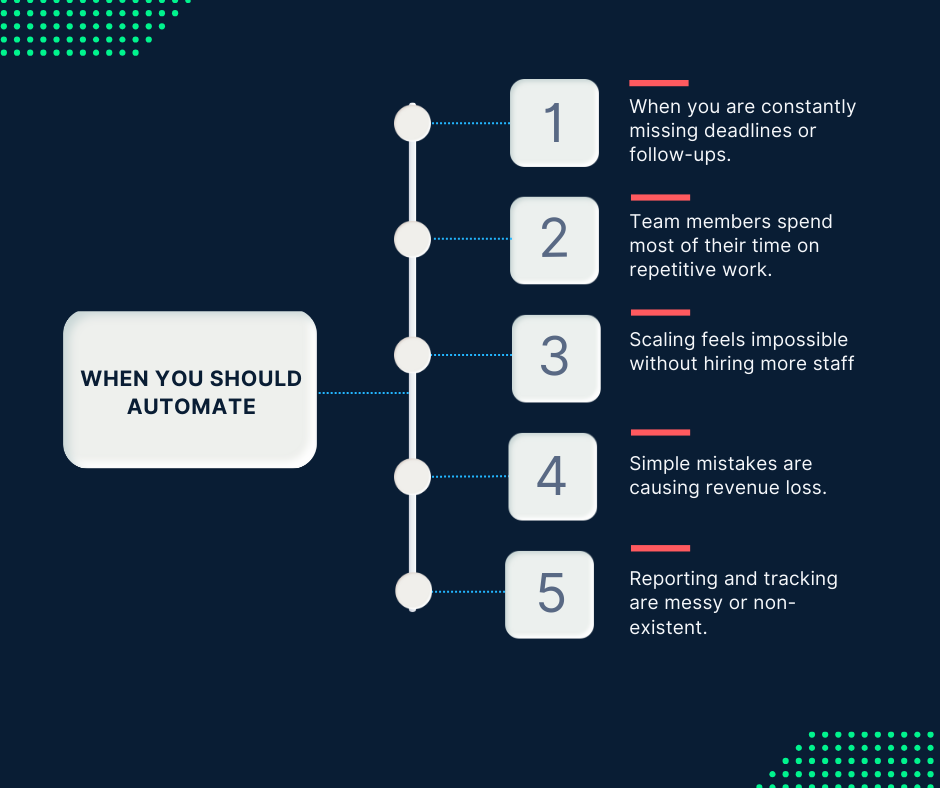
Signs It’s Time to Automate
Not sure if you should switch from manual to automated processes?
Look for these red flags:
- You’re constantly missing deadlines or follow-ups.
- Team members spend most of their time on repetitive work.
- Scaling feels impossible without hiring more staff.
- Simple mistakes are causing revenue loss.
- Reporting and tracking are messy or non-existent
If you nodded at two or more of these, then it’s time.
How to Start Automating Without Being Overwhelmed
Starting small is key! You don’t need to automate everything overnight.
Here’s a simple step-by-step guide:
Step 1: Identify Repetitive Tasks
Start with tasks that are repetitive, low-risk, and time-consuming.
Step 2: Choose One Automation Tool
Choose a user-friendly tool like Zapier, QuickBooks, or HubSpot CRM.
Step 3: Set Up One Workflow
Automate one small but impactful process. For example, auto-send invoices when a deal closes.
Step 4: Test and Tweak
Run your automation for a few weeks, tweak based on feedback, and fix any hiccups.
Step 5: Expand Gradually
Once the first automation is stable, add another one!
Real-Life Examples – Automation in Action
Case Study 1: SmartScale Solutions
After automating client onboarding and reporting, SmartScale saved 25+ hours per month — allowing the team to focus more on strategic consulting instead of paperwork.
Case Study 2: Local Bakery
By using automated email marketing and online orders, a bakery increased its order volume by 40% without hiring additional staff!
What Tasks Should (and Shouldn’t) Be Automated
Best Tasks to Automate:
- Invoicing
- Scheduling
- Email marketing
- Lead tracking
- Inventory management
- Financial reporting
Tasks Better Left Manual (at the early phase):
- Personalized client conversations
- High-level strategy and decision-making
- Complex customer service issues
Automation is best when it enhances, not replaces, the human side of business.
Conclusion:
Manual or Automated — Which Saves You More?
In today’s fast-paced business world, automation wins hands down.
Not only does it save time and reduce costs, but it also frees you up to do what matters most — innovate, grow, and serve your customers better.
Choosing automation is choosing to work smarter, scale faster, and thrive.
Ready to build workflows that work for you, not against you?
👉 Book your FREE Startup Audit with SmartScale Solutions today!
